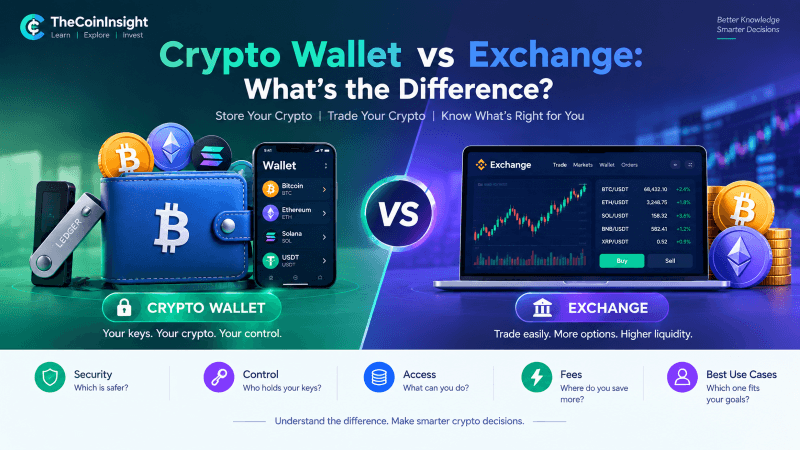
Short answer: An exchange is where you buy crypto. A wallet is where you keep it.
But the details matter — because confusing the two is the #1 way beginners lose money.
In this guide, we break down the differences in plain English: custody, control, security, fees, and exactly when to use each one.
The Core Difference in One Table
| Aspect | Exchange (CEX) | Wallet (Non-Custodial) |
|---|---|---|
| Who holds your keys? | The exchange | You |
| Who controls your funds? | The exchange | You |
| Can they freeze your account? | Yes | No |
| Can they go bankrupt and lose your money? | Yes (see: FTX, Celsius, BlockFi) | No — unless you lose your seed phrase |
| Do you need ID/KYC? | Yes (almost always) | No |
| Can you earn yield (staking, lending)? | Yes (their programs) | Yes (DeFi, native staking) |
| Trading features | Advanced (margin, futures, orders) | Basic (swap only, via DEX) |
| Fees | Trading fees (0.1-0.5%) + withdrawal fees | Network fees only (you set gas) |
| Best for | Buying, selling, trading, fiat on/off-ramp | Long-term storage, sovereignty, DeFi |
“Not Your Keys, Not Your Coins” — What It Actually Means
When you buy Bitcoin on Coinbase, Binance, or Kraken, you don’t own Bitcoin. You own an IOU from the exchange — a promise in their database that says “we owe you 0.5 BTC.”
The exchange holds the actual private keys. They control the wallet. They can:
- Freeze withdrawals (happens regularly during volatility)
- Halt trading (happens during crashes)
- Lose your funds via hack or bankruptcy (FTX: $8B lost; Mt. Gox: 850K BTC lost)
- Report your activity to tax authorities (required by law)
With a non-custodial wallet, you hold the private keys. The crypto lives on the blockchain. The wallet is just an interface to sign transactions. No one can freeze, seize, or lose your funds — except you.
Types of Exchanges (CEX vs DEX)
Centralized Exchanges (CEX) — Coinbase, Binance, Kraken, Bybit, OKX
| Pros | Cons |
|---|---|
| Easy fiat on/off-ramp (bank transfer, card) | Custodial — they hold your keys |
| High liquidity, tight spreads | KYC required (no privacy) |
| Advanced trading (margin, futures, bots) | Single point of failure |
| Customer support (sometimes) | Regulatory risk (can delist assets, restrict regions) |
| Insurance funds (some) | Not your coins |
Decentralized Exchanges (DEX) — Uniswap, Jupiter, Raydium, Curve
| Pros | Cons |
|---|---|
| Non-custodial — you keep keys | No fiat on-ramp (need crypto first) |
| No KYC / permissionless | Lower liquidity for obscure pairs |
| Access to thousands of tokens | Smart contract risk (bugs, hacks) |
| Composable with DeFi | Gas fees (Ethereum mainnet) |
| Censorship-resistant | No customer support |
Most people need both: CEX for fiat → crypto, DEX for trading obscure tokens or DeFi participation.
Types of Wallets: Hot vs Cold
Hot Wallets (Connected to Internet)
| Wallet | Type | Best For | Security |
|---|---|---|---|
| Phantom / Solflare | Browser extension + mobile | Solana ecosystem, daily use | Good (encrypted seed, biometric lock) |
| MetaMask / Rainbow / Rabby | Browser extension + mobile | Ethereum + EVM chains, DeFi | Good (hardware wallet support) |
| Trust Wallet / Exodus | Mobile app | Multi-chain beginners | Decent (closed source for Trust) |
| Coinbase Wallet / OKX Wallet | Mobile + extension | Easy CEX integration | Good (but tied to CEX brand) |
Hot wallet rule: Only keep what you’d carry in a physical wallet — $500-$5,000 max. They’re convenient but vulnerable to malware, phishing, and device compromise.
Cold Wallets (Offline / Hardware)
| Wallet | Price | Chains | Best For |
|---|---|---|---|
| Ledger Nano S Plus | $79 | 5,500+ | Budget cold storage |
| Ledger Nano X | $149 | 5,500+ | Bluetooth, mobile use |
| Ledger Stax | $279 | 5,500+ | Large screen, UX focus |
| Trezor Safe 3 | $59 | 8,000+ | Open-source, Bitcoin-only focus |
| Trezor Model One | $69 | 8,000+ | Proven track record |
| Trezor Safe 5 | $169 | 8,000+ | Color touchscreen, Shamir backup |
| Coldcard Mk4 | $157 | Bitcoin only | Maximum security, air-gapped |
| Passport (Foundation) | $259 | Bitcoin only | Premium, open-source, air-gapped |
Cold wallet rule: Anything above $1,000-$5,000 should be on a hardware wallet. Period. The $79-$150 cost is insurance against a 100% loss.
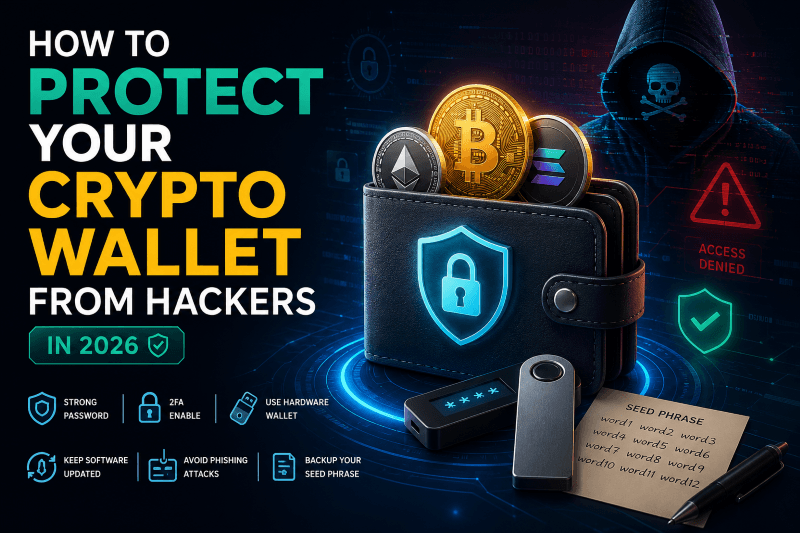
The Seed Phrase: Your One Backup
Every non-custodial wallet generates a 12 or 24-word seed phrase (BIP-39 standard). This is your master key.
Example (DO NOT USE): abandon ability able about above absent absorb abstract absurd abuse access accidentSeed Phrase Rules — Memorize These:
| Rule | Why |
|---|---|
| Write it on paper (or metal) | Paper survives fire/flood if metal; digital doesn’t |
| Never screenshot it | Cloud backups get hacked; clipboard managers log it |
| Never type it into a website | Phishing sites steal it instantly |
| Never share it with “support” | No legitimate support ever needs your seed |
| Store in 2+ locations | House fire = total loss if only one copy |
| Test recovery before depositing big money | Send $10, wipe wallet, restore — verify it works |
Metal backup options: Cryptosteel, Billfodl, Seedplate, or DIY with washers + engraver. Cost: $20-$80. Worth it.
Common Mistakes That Cost People Everything
1. Leaving Life Savings on an Exchange
“I’ll move it to a wallet later.” → Exchange freezes withdrawals / gets hacked / goes bankrupt. Move it now.
2. Buying a Hardware Wallet from eBay/Amazon/Third Party
Only buy direct from manufacturer. Compromised devices with pre-loaded seeds exist. Ledger.com, Trezor.io, Coldcard.com — only.
3. Storing Seed Phrase Digitally
Screenshots, Notes app, password manager, email, Google Drive. Malware scans for 12-word patterns. Paper/metal only.
4. Using the Same Seed Phrase for Multiple Wallets
If one wallet gets compromised (malicious dApp approval, phishing), all wallets with that seed are drained. Use separate seeds for separate purposes.
5. Approving Unlimited Token Allowances on DEXs
approve(token, unlimited)lets a contract drain all that token forever. Use revoke.cash or Rabby wallet to review/revoke allowances monthly.
6. Not Testing Recovery
You think you wrote the seed correctly. You didn’t. Test with a small amount first.
When to Use What: Decision Framework
| Situation | Use | Why |
|---|---|---|
| Buy crypto with USD/EUR/GBP | CEX (Coinbase, Kraken, Binance) | Only fiat on-ramp |
| Sell crypto for fiat | CEX | Only fiat off-ramp |
| Day trade / scalp / use leverage | CEX | Liquidity, order types, speed |
| Hold >$1,000 for months/years | Hardware wallet | Sovereignty, security |
| Use DeFi (lend, borrow, LP, stake) | Hot wallet + hardware signer | Rabby + Ledger = best UX + security |
| Mint NFTs / use dApps daily | Hot wallet (dedicated, low value) | Convenience; don’t risk main stack |
| Send crypto to friend/family | Any wallet | Peer-to-peer, no intermediary |
| Travel / cross borders with wealth | Hardware wallet (or memorized seed) | No physical cash limits, no declaration |
| Earn yield on stablecoins | DeFi (Aave, Morpho) via wallet + hardware signer | Higher yield than CEX, you control funds |
The Ideal Setup for Most People (2026 Edition)
Tier 1: The Foundation ($0 – $500)
- CEX account (Coinbase/Kraken for US, Binance/Bybit for intl) — for buying
- Mobile hot wallet (Phantom for Solana, Rainbow/MetaMask for EVM) — for learning, small amounts
- Seed phrase on paper — stored safely
Tier 2: The Serious Stack ($500 – $10,000)
- Hardware wallet (Ledger Nano S Plus / Trezor Safe 3) — buy direct
- Hot wallet as interface (Rabby for EVM, Phantom for Solana) — connect hardware wallet, never expose seed to hot wallet
- CEX only for fiat conversion — buy → withdraw immediately → trade on DEX if needed
Tier 3: The Sovereign Stack ($10,000+)
- Multiple hardware wallets (Ledger + Trezor + Coldcard) — geographic separation
- Shamir backup (split seed into 3-of-5 shares) — Trezor Safe 5, Ledger Stax
- Dedicated device (old phone/laptop, factory reset, no apps) — for signing only
- Metal seed backups in 3+ locations (home, safe deposit box, trusted family)
- Estate plan — dead man’s switch, inheritance instructions, lawyer/technical executor
- CEX accounts only for off-ramp — never store
Fee Comparison: The Hidden Costs
| Action | CEX Fee | Wallet (Network Fee) | Notes |
|---|---|---|---|
| Buy $1,000 BTC (card) | 2.5-3.5% | N/A | Use bank transfer (0.1-0.5%) |
| Buy $1,000 BTC (bank) | 0.1-0.5% | N/A | ACH/SEPA/Faster Payments |
| Trade BTC → ETH | 0.1-0.4% | 0.05-0.3% (DEX) + gas | DEX cheaper for large sizes |
| Withdraw BTC | $2-$15 (fixed) | You set fee (1-5 sat/vB) | CEX overcharges; wallet = you choose |
| Withdraw ETH (ERC-20) | $5-$20 | $2-$50 (gas) | Use L2 (Arbitrum/Optimism/Base) = <$0.50 |
| Withdraw SOL | $0.01-$0.10 | $0.00025 | Solana wins on fees |
| Stake ETH | 15-25% commission | 0% commission (native) | CEX takes cut; solo stake = full yield |
Pro tip: Withdraw to L2 (Arbitrum, Optimism, Base) or Solana. ERC-20 withdrawals from CEX are a ripoff.
Security Checklist: Wallet Setup in 10 Minutes
- Buy hardware wallet direct from manufacturer
- Initialize device — generate NEW seed (don’t use old one)
- Write seed on paper — verify each word, order, spelling
- Test recovery — wipe device, restore from paper seed
- Send test transaction ($10) → verify receive
- Wipe and restore again — confirm it works
- Transfer main stack from exchange → hardware wallet address
- Verify on block explorer — transaction confirmed, address matches
- Store paper seed in 2+ locations — fireproof safe + hidden location
- Enable passphrase (25th word) — optional but recommended for >$50K
FAQ: The Questions Everyone Asks
Q: Can I use the same address on exchange and wallet? A: No. Exchange gives you a deposit address (theirs). Wallet gives you your address. They’re different.
Q: Is Coinbase Wallet the same as Coinbase Exchange? A: No. Coinbase Wallet = non-custodial (you hold keys). Coinbase Exchange = custodial (they hold keys). Confusing branding, different products.
Q: What if I lose my hardware wallet? A: Buy a new one, restore from seed phrase. Funds are on blockchain, not the device.
Q: What if I lose my seed phrase? A: Funds are gone forever. No support team. No recovery. This is the price of sovereignty.
Q: Can I stake from a hardware wallet? A: Yes. Ledger Live, Trezor Suite, or connect to Rabby/Phantom → stake natively. You keep keys, earn full yield.
Q: Is a password manager safe for seed phrases? A: No. Password managers get breached (LastPass 2022). Seed phrases are high-value targets. Paper/metal only.
Q: What’s a “passphrase” (25th word)? A: An optional extra word you add to your 24-word seed. Creates a completely different wallet. Plausible deniability — if coerced, you reveal the main wallet (small amount), not the passphrase wallet (main stack).
Your Action Plan Today
| If You Have… | Do This Now |
|---|---|
| $0 crypto | Open CEX account → buy $50 BTC → withdraw to new hardware wallet |
| Crypto on exchange only | Order hardware wallet TODAY → withdraw everything when it arrives |
| Hot wallet with >$500 | Order hardware wallet → create new seed → transfer |
| Hardware wallet but no metal backup | Order Cryptosteel/Billfodl → engrave seed → store in 2 locations |
| Seed phrase in Notes app/screenshot | Move funds to new wallet with new seed immediately — you’re compromised |
| Multiple wallets, same seed | Create new seeds for each purpose → separate holdings |
The Bottom Line
Exchanges are on-ramps. Wallets are vaults.
Use exchanges for what they’re good at: fiat conversion, liquidity, trading tools. Then get your money off them.
Use wallets for what they’re good at: sovereignty, security, DeFi access, long-term storage. Pay the $79 for a hardware wallet. It’s the cheapest insurance you’ll ever buy.
“The best time to buy a hardware wallet was before you put $1,000 on an exchange. The second best time is right now.”
Disclaimer: This article is for educational purposes only. Not financial advice. Cryptocurrency involves risk of total loss. Always verify addresses, test transactions, and secure your seed phrase.