Every crypto holder faces the same question at some point: “Where do I actually keep this stuff?”
The answer comes down to two categories — hot wallets and cold wallets — and the difference between them is the difference between convenience and security.
Get this right and you sleep soundly. Get it wrong and you join the long list of people who learned the hard way.
Here’s everything you need to know.
The Difference in One Sentence
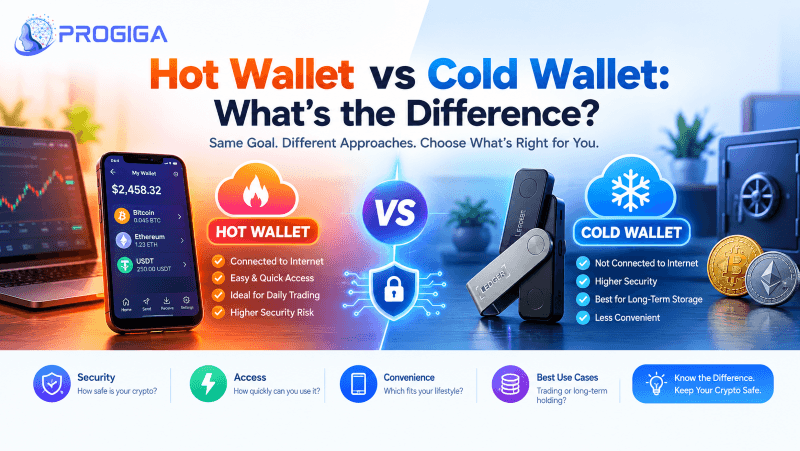
A hot wallet is connected to the internet. A cold wallet isn’t.
That’s it. Everything else — security, convenience, cost, use case — flows from that single fact.
| Hot Wallet | Cold Wallet | |
|---|---|---|
| Internet connection | Always connected | Offline (air-gapped or USB) |
| Examples | Phantom, MetaMask, Trust Wallet, Coinbase Wallet | Ledger, Trezor, Coldcard, Passport |
| Cost | Free | $59 – $279 |
| Convenience | Instant access, mobile-friendly | Requires physical device |
| Security | Vulnerable to malware, phishing, device compromise | Immune to remote attacks |
| Best for | Daily spending, DeFi, small amounts | Long-term storage, large holdings |
| Realistic holding size | $50 – $5,000 | $1,000+ (no upper limit) |
| Recovery | Seed phrase | Seed phrase (+ optional passphrase) |
Hot Wallets: Convenient by Design
A hot wallet lives on a device that’s online — your phone, your laptop, your browser. The private keys are stored (encrypted) on that device, which means the wallet can sign transactions instantly.
Why People Love Them
- Free — download and go
- Fast — swap, send, receive in seconds
- Mobile — trade from anywhere
- dApp-ready — connect to Uniswap, Aave, OpenSea, Jupiter with one click
- Great UX — Phantom, Rainbow, and Rabby are genuinely pleasant to use
Where They Fall Short
- Malware risk — keyloggers and clipboard hijackers target hot wallets specifically
- Phishing — a single fake site can drain you
- Device theft/loss — unlocked phone = exposed wallet
- Browser extension risk — malicious extensions read everything
- No air gap — if the device is compromised, the keys are compromised
The Main Hot Wallets in 2026
| Wallet | Chains | Standout Feature |
|---|---|---|
| Phantom | Solana, Ethereum, Polygon, Bitcoin | Best Solana UX, built-in swaps |
| MetaMask | Ethereum + all EVM chains | The DeFi standard, huge ecosystem |
| Rabby | Ethereum + EVM | Transaction simulation, scam warnings, hardware support |
| Rainbow | Ethereum + EVM | Beautiful mobile UI, beginner-friendly |
| Trust Wallet | Multi-chain (100+) | Broadest chain support |
| Coinbase Wallet | Multi-chain | Easy Coinbase integration |
Rule of thumb: Hot wallet = walking-around money. Never more than you’d carry in your physical wallet.
Cold Wallets: Security by Isolation
A cold wallet keeps your private keys offline. When you want to send crypto, you physically connect the device, confirm the transaction on its screen, and sign. The keys never touch the internet.
This is why cold wallets are considered the gold standard — a hacker on the other side of the world cannot reach a device that isn’t connected.
Why People Love Them
- Immune to remote attacks — malware can’t touch offline keys
- You verify on-screen — see the real address and amount before signing
- Physical confirmation — someone needs your device and your PIN
- Long-term peace of mind — set it and forget it
- Works with hot wallets — Ledger + Rabby/Phantom = best of both
Where They Fall Short
- Costs money — $59 to $279
- Less convenient — you need the device to transact
- Not free from user error — lose your seed, lose everything
- Supply chain risk — buy direct, never third-party (compromised devices exist)
The Main Cold Wallets in 2026
| Wallet | Price | Chains | Best For |
|---|---|---|---|
| Trezor Safe 3 | $59 | 8,000+ | Best budget entry |
| Trezor Model One | $69 | 8,000+ | Proven, battle-tested |
| Ledger Nano S Plus | $79 | 5,500+ | Huge ecosystem, Bluetooth-free |
| Ledger Nano X | $149 | 5,500+ | Bluetooth, mobile signing |
| Trezor Safe 5 | $169 | 8,000+ | Color touchscreen, Shamir backup |
| Ledger Stax | $279 | 5,500+ | Premium UX, large screen |
| Coldcard Mk4 | $157 | Bitcoin only | Air-gapped, maximum security |
| Passport | $259 | Bitcoin only | Open-source, air-gapped, premium |
Critical: Buy only from ledger.com, trezor.io, coldcard.com, or foundation.xyz. Never eBay, never Amazon resellers, never “deals.” A compromised device with a pre-loaded seed will drain you the moment you fund it.
The Security Math: Why It Actually Matters
Let’s make this concrete.
| Attack Vector | Hot Wallet | Cold Wallet |
|---|---|---|
| Malware on your computer | ❌ Vulnerable | ✅ Immune |
| Phishing site | ❌ Vulnerable | ✅ Immune (you verify on device) |
| Clipboard hijacker | ❌ Vulnerable | ✅ Immune |
| Browser extension exploit | ❌ Vulnerable | ✅ Immune |
| Device stolen (unlocked) | ❌ Vulnerable | ✅ Needs PIN + device |
| Device stolen (locked) | ⚠️ Partial | ✅ Secure |
| Seed phrase photographed | ❌ Vulnerable | ❌ Vulnerable |
| Seed phrase typed into website | ❌ Vulnerable | ❌ Vulnerable |
| Physical coercion | ❌ Vulnerable | ⚠️ Passphrase helps |
Notice the pattern: Cold wallets eliminate every remote attack. The only remaining risks are ones you control — seed handling and physical security.
Hybrid Setup: The Best of Both Worlds
Here’s what sophisticated holders actually do:
┌─────────────────────────────────────────────┐
│  COLD WALLET (Ledger/Trezor)                │
│  • Holds 90%+ of holdings                   │
│  • Keys never online                        │
│  • Connected to hot wallet for signing      │
└─────────────────────────────────────────────┘
                    ↕
┌─────────────────────────────────────────────┐
│  HOT WALLET (Rabby/Phantom)                 │
│  • Interface for dApps, DeFi, swaps         │
│  • Holds 10% for daily use                  │
│  • Routes signing to cold wallet            │
└─────────────────────────────────────────────┘
How it works: Your hot wallet (Rabby, Phantom) becomes an interface, not a key store. When you sign a transaction, the cold wallet displays the details on its screen and you physically approve it.
You get:
- ✅ The convenience and UX of a hot wallet
- ✅ The security of offline keys
- ✅ No exposure to malware or phishing
This is the recommended setup for anyone holding over $1,000.
The Seed Phrase: Your Real Single Point of Failure
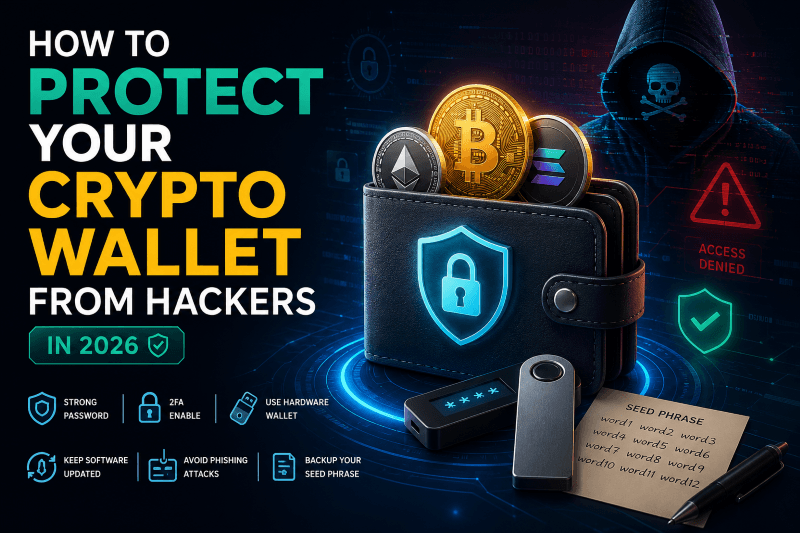
Here’s the uncomfortable truth: both wallet types rely on the same backup — the seed phrase.
A 12 or 24-word phrase (BIP-39 standard) regenerates your wallet on any device. Whoever has it, controls the funds. Forever.
The Rules (Non-Negotiable)
| Do | Don’t |
|---|---|
| Write it on paper or metal | Screenshot it |
| Store in 2+ separate locations | Save it in Notes, email, or cloud |
| Verify spelling and order twice | Type it into any website |
| Test recovery with a small amount | Share it with “support” (never legitimate) |
| Consider a metal backup ($20-80) | Store it only in one place |
Metal backups: Cryptosteel, Billfodl, Seedplate — survive fire and flood. Paper doesn’t.
Advanced: The 25th Word (Passphrase)
Add an optional passphrase to your seed → creates a completely different wallet. If someone forces you to reveal your seed, you show the main one (small balance) and keep the passphrase wallet hidden. Supported by Trezor Safe 5, Ledger, Coldcard.
Which One Do You Actually Need?
| Your Situation | Recommendation |
|---|---|
| Just bought your first $100 | Hot wallet (Phantom, MetaMask) |
| Holding $500 – $1,000 | Hot wallet + paper seed, order a cold wallet soon |
| Holding $1,000 – $10,000 | Cold wallet. Now. Ledger Nano S Plus or Trezor Safe 3 |
| Holding $10,000+ | Cold wallet + metal backup + geographic separation |
| Holding $100,000+ | Multiple cold wallets, Shamir backup, estate plan |
| Active DeFi/trading daily | Hybrid: cold storage + hot interface |
| Frequent small payments | Hot wallet only, keep balance low |
Common Mistakes to Avoid
- “I’ll move it to a cold wallet later.” — Later is when exchanges freeze withdrawals.
- Buying a hardware wallet secondhand. — Only direct from the manufacturer.
- Storing the seed digitally. — Malware scans for 12-word patterns. Paper and metal only.
- Reusing one seed for everything. — One compromised dApp drains every wallet sharing that seed.
- Never testing recovery. — You think you wrote it right. Verify it.
- Skipping the passphrase on large holdings. — Adds a powerful layer for free.
- No inheritance plan. — If you die without instructions, your family’s funds die with you.
FAQ
Q: Can a cold wallet be hacked?
A: Remotely, no. Physically, only with your device and PIN. The realistic risk is your seed phrase leaking, not the device.
Q: Do I need internet to use a cold wallet?
A: The device stays offline. Your computer/phone has internet and acts as the bridge, but keys never leave the device.
Q: Is a phone with no internet a cold wallet?
A: Technically “cold-ish,” but dedicated hardware wallets are purpose-built with secure elements. Not equivalent.
Q: What happens if my hardware wallet breaks?
A: Buy a new one, restore from your seed phrase. Your crypto lives on the blockchain, not the device.
Q: Can I stake from a cold wallet?
A: Yes. Ledger Live, Trezor Suite, or connect to Phantom/Rabby. You keep keys and earn full staking yield.
Q: How many wallets should I have?
A: At minimum: one cold (storage) + one hot (daily use). Advanced holders use multiple cold wallets for separation.
Q: Are hot wallets ever safe?
A: For small amounts, yes — with good hygiene. Never for life savings.
| Hot Wallet | Cold Wallet | |
|---|---|---|
| Connected? | Yes | No |
| Cost | Free | $59-$279 |
| Convenience | ⭐⭐⭐⭐⭐ | ⭐⭐⭐ |
| Security | ⭐⭐ | ⭐⭐⭐⭐⭐ |
| Use for | Daily spending, DeFi, small amounts | Long-term storage, large holdings |
The formula:
Hot wallet for spending. Cold wallet for saving. Never confuse the two.
Buy a hardware wallet today if you hold more than $1,000. It’s the cheapest insurance in crypto — and the only one that actually works.
Disclaimer: This article is for educational purposes only and is not financial advice. Cryptocurrency carries risk of total loss. Always verify addresses, test transactions, and secure your seed phrase. Buy hardware wallets only from official manufacturers.